We're here to help
Having trouble with a purchase, your account, or a game? Tell us what happened and we'll help you work through it. You'll find a few useful first steps below.
Contact us
Email support@pokie-magic.com. Include your Player ID and a short description of the problem, along with any screenshots that show what happened.
You don't need to have every detail before getting in touch. Please don't send passwords.
Email: support@pokie-magic.com
Please include:
- Your name and contact email.
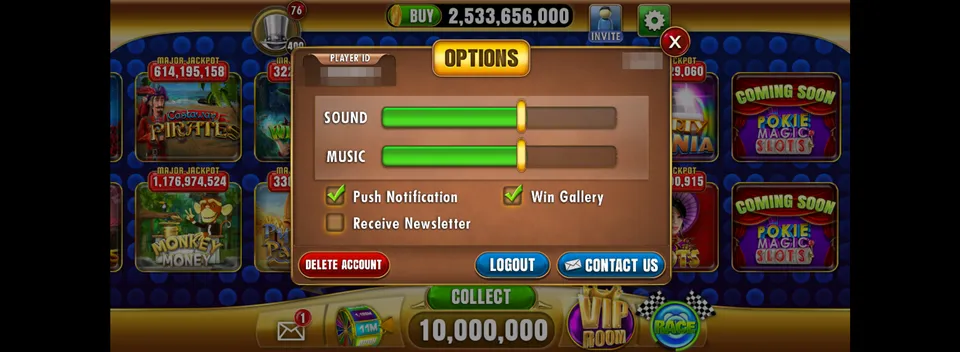
- Your Player ID, shown at the top of the Options menu.
- Whether you play on iPhone, iPad, Android, or Mac.
- Your device model and app version.
- The sign-in method you use, if you have an account.
- What happened and roughly when it started.
A Purchase Hasn't Arrived
Close the app completely and open it again. If the coins still haven't appeared, send us your Player ID and the receipt from Apple or Google. We'll use those details to look into the purchase.
Missing Coins or Progress
If you normally sign in, check that you're using the same account and sign-in method as before. Using a different account can make your coins or progress appear to be missing.
If that doesn't help, email us with your Player ID and roughly when you noticed the change. If you play without signing in, let us know that too so we can work out the next steps.
Delete Your Account
Open Options in the app and choose Delete Account. If you can't access the app, contact us from the email associated with your account and we'll help with the request.